
AI widgets
that turn browsing into action
Turn website pages into smart, interactive experiences that summarize information, answer questions, and guide visitors toward action.
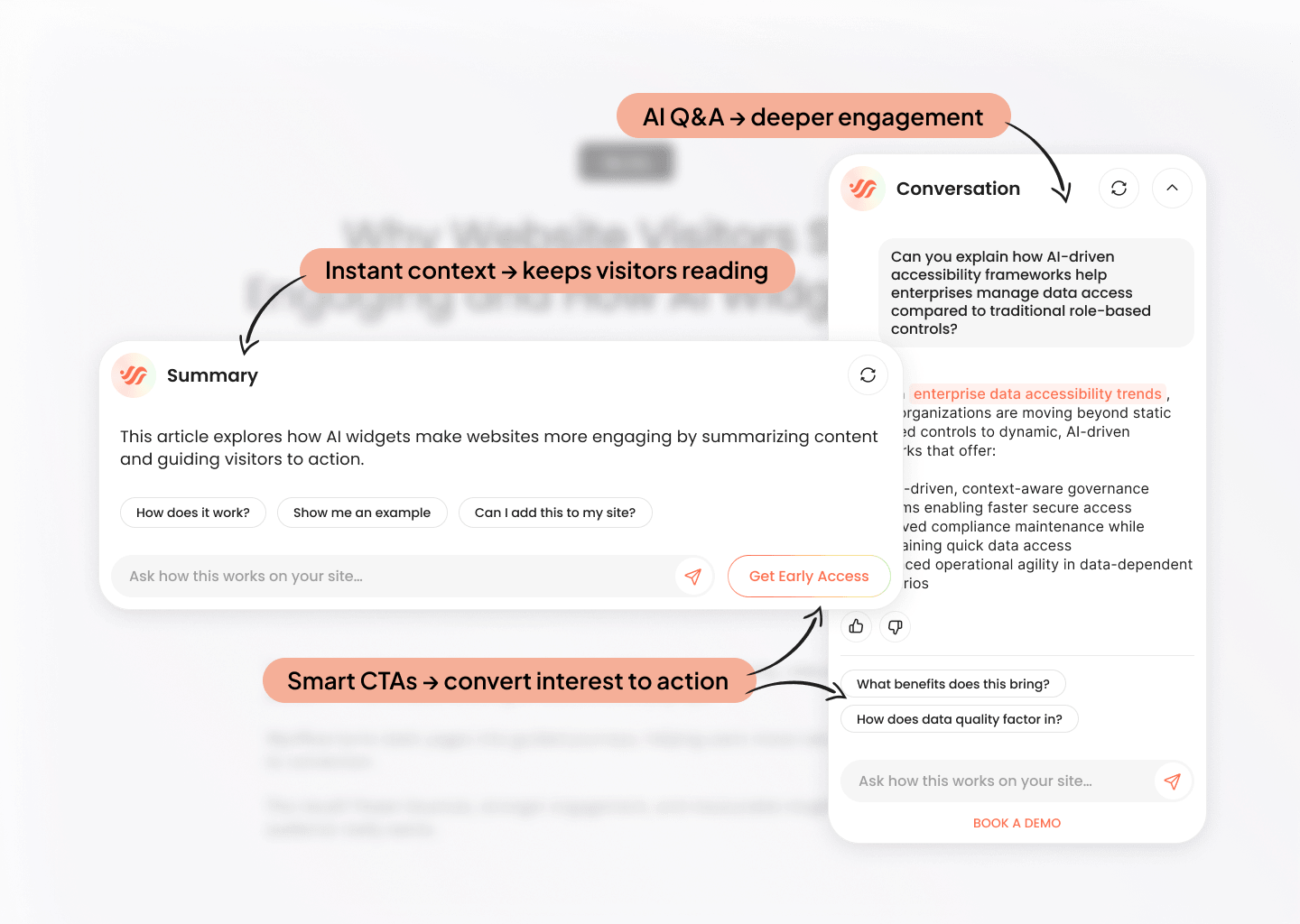
- How Wynflow Works
From setup to results
in 3 simple steps
Connect and create
Connect your website or data sources, then create AI widgets with clear goals — from educating readers to driving sign-ups or demos.
Your site content becomes the knowledge base behind each widget.
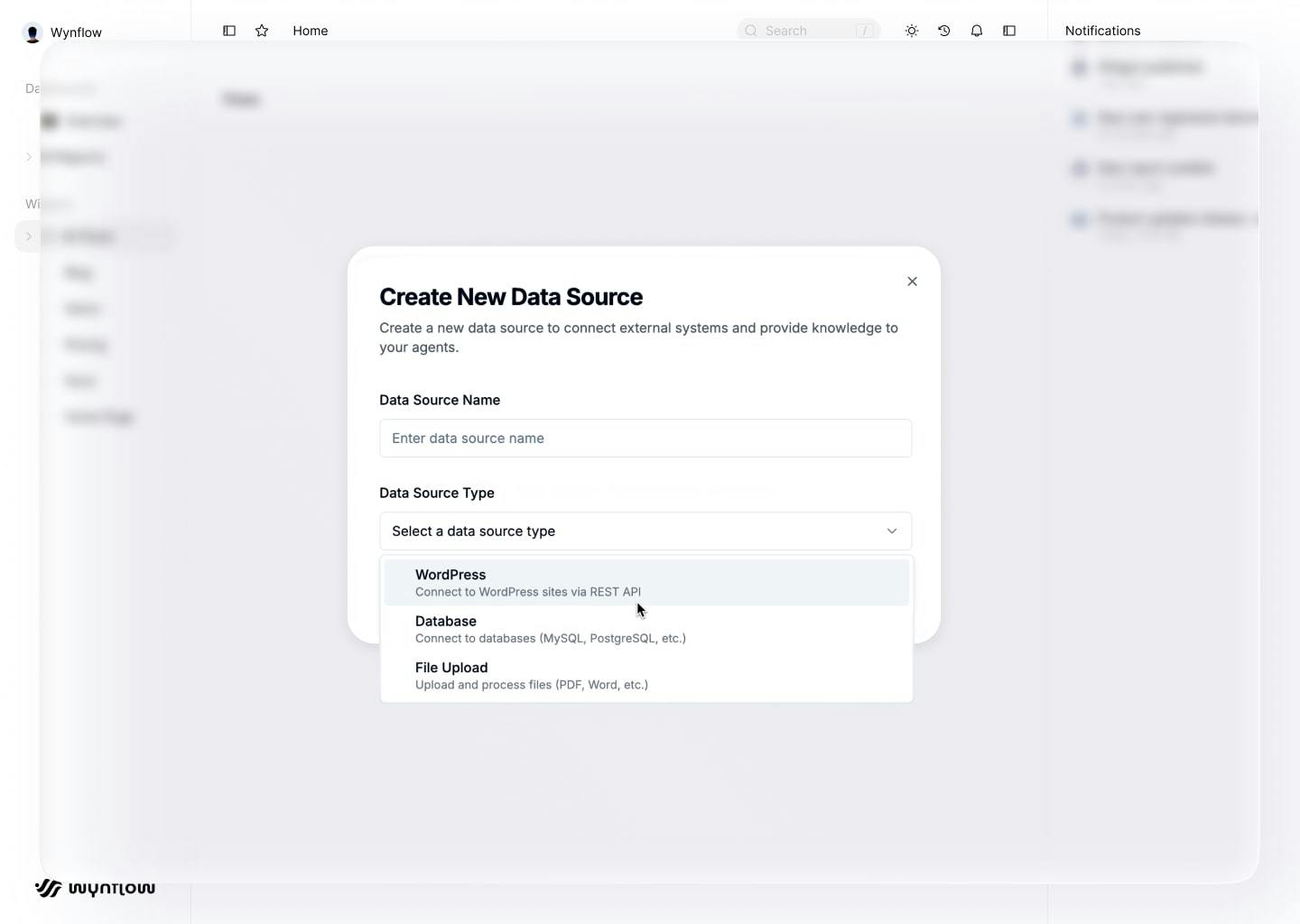
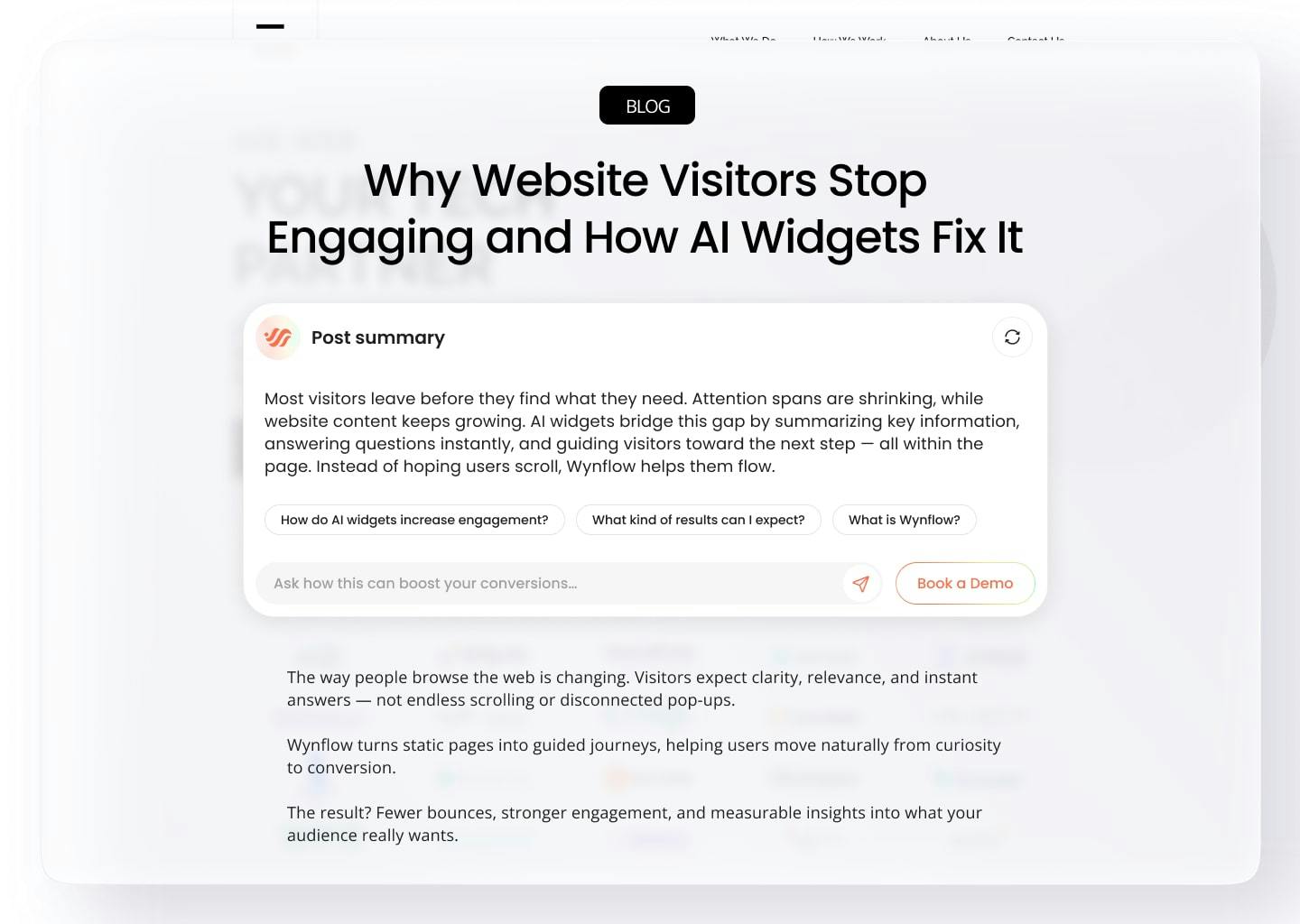
Add anywhere
Place widgets on key pages: blog, product, or pricing pages, to engage visitors right where they browse.
Each widget adapts to its page context to guide users naturally.
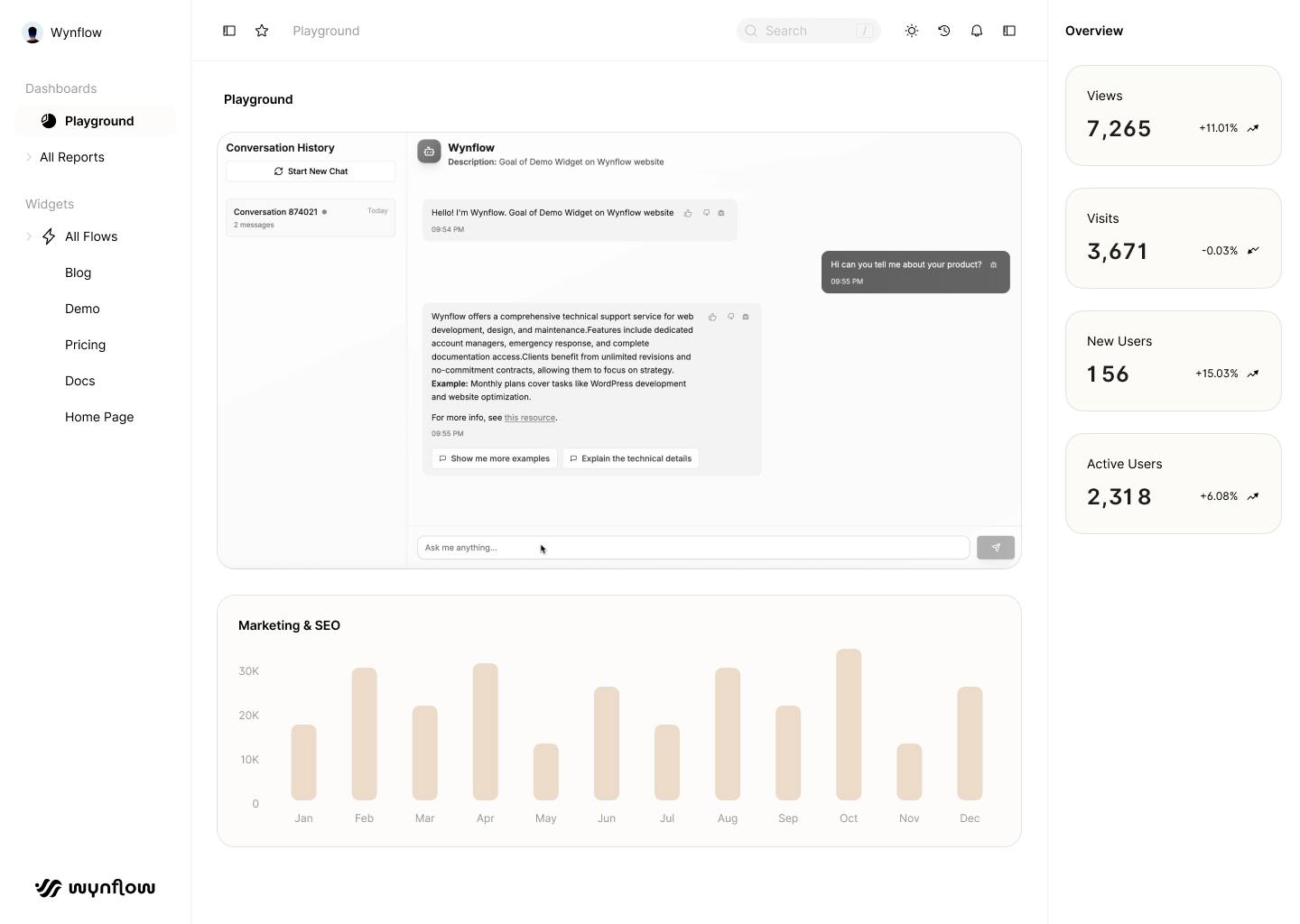
See what works
Track engagement and conversions with built-in analytics, then refine your setup as you learn what visitors respond to.
Turn real-time insights into continuous improvement.
- Benefits
Why add Wynflow to your website?
Make every page easier to explore, more engaging to browse, and more effective at driving action.
Engage visitors
Summaries, Q&A, and smart suggestions keep people exploring instead of skimming.
Page-aware answers
Wynflow understands each page and responds using your existing website content.
Boost conversions
It handles questions in context and guides visitors toward the next step.
Flexible setup
Create as many widgets as you need for blog, product, pricing, or comparison pages.
FAQs
Everything you need to know before getting started.
What is Wynflow?
Wynflow adds AI-powered widgets to your website that summarize content, answer questions, and guide visitors to the next step.
How is this different from a chatbot?
Wynflow isn’t for support tickets. Its widgets are page-aware, grounded in your content, and designed to drive engagement and conversions.
Where can I use it?
On blogs, product pages, pricing, and comparison pages — anywhere you want more engagement.
How accurate are the answers?
Widgets only use your approved pages and sources, so responses remain relevant as your website evolves.
How much does it cost?
During beta, Wynflow is free. Pricing plans will be announced later, and a free tier will remain available.
Will it slow down my website?
No. Wynflow widgets are lightweight and load asynchronously, so they won’t affect your core site performance.
Does it work with my CMS or custom site?
Yes. Wynflow works with WordPress, HubSpot, Webflow, or any site where you can add a short code snippet. We’ll provide clear setup instructions.
How do you handle data and privacy?
Widgets use only your approved content sources. We don’t sell data, and you control what’s indexed. A detailed privacy policy will be published before the public beta.
Can I customize the widget design?
Absolutely. You can adjust colors, fonts, button styles, and placement to match your brand and website layout. Wynflow widgets are designed to blend naturally into any page.